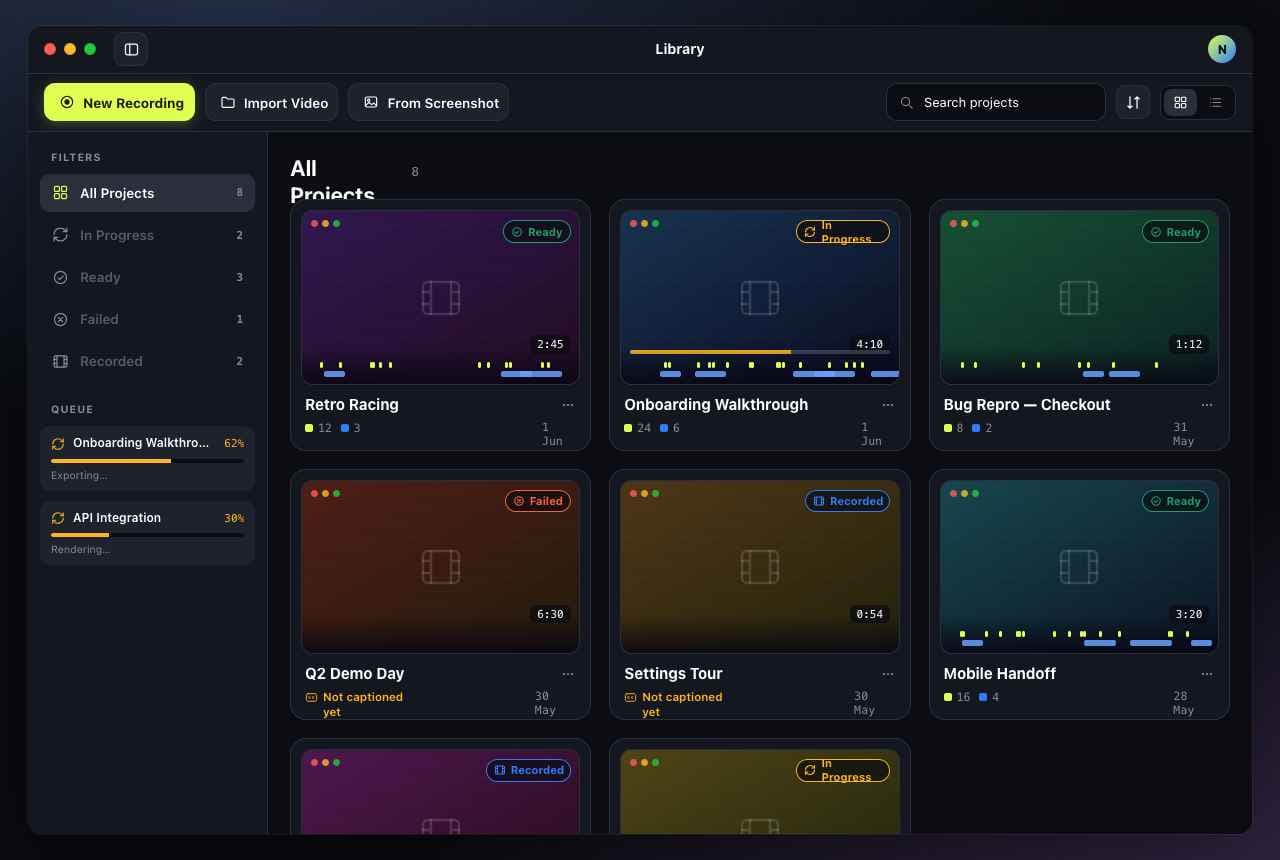
Everything in one window
From raw capture to ready-to-share, fast.
Three things usually take three apps and an afternoon. Subfast does them in one place.
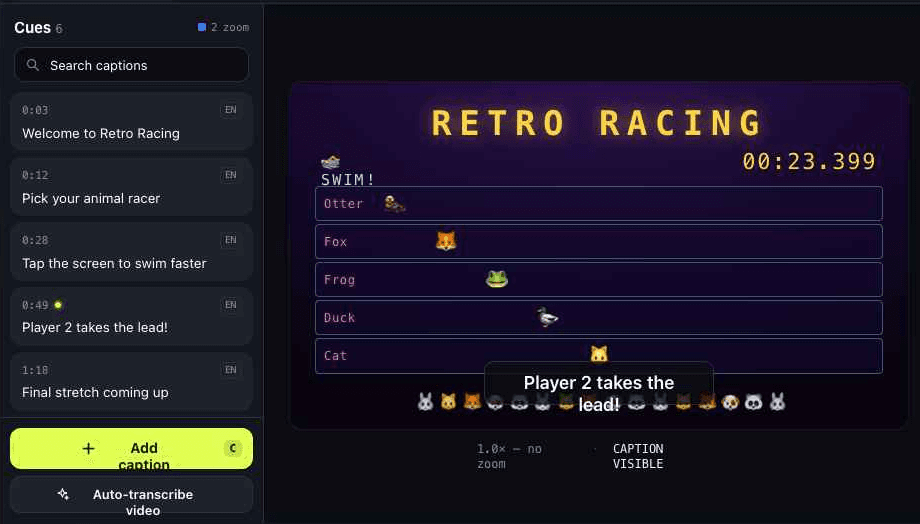
On-device AI captions
AI transcription that never leaves your Mac.
Drop in a recording and Subfast transcribes it with Apple Intelligence — the on-device Foundation Models built into macOS 26. Captions are generated offline and land on the timeline already timed, so nothing is uploaded and nothing waits on a server.
- On-device AI — private, offline, no cloud round-trip
- LLM-cleaned punctuation across dozens of languages
- Searchable, fully editable cue list
Draw-to-zoom
Punch in on the detail that matters.
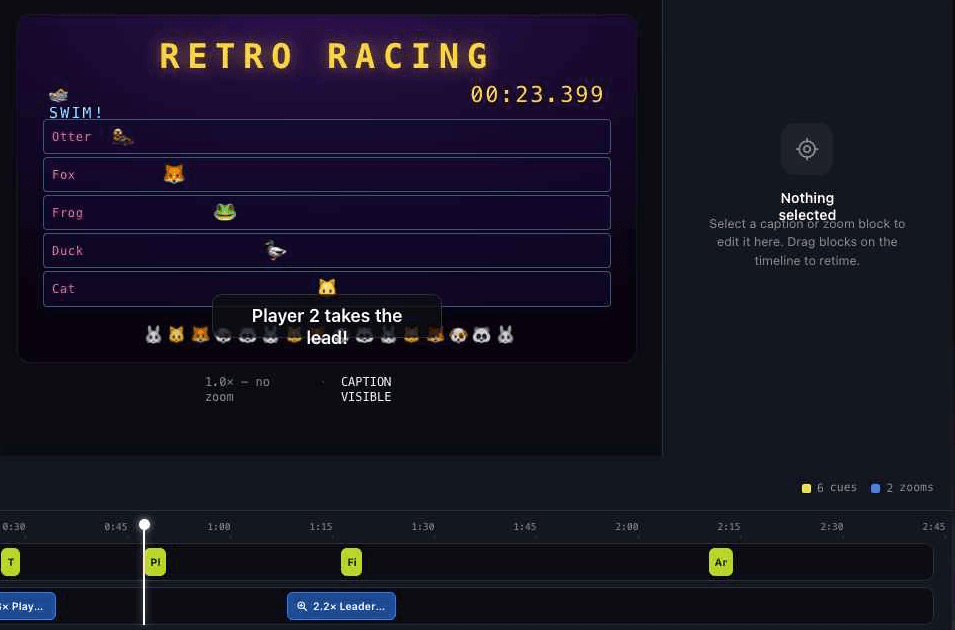
Box any region of the frame and Subfast animates a smooth zoom to it — perfect for tiny buttons, code, or fine print. Drop multiple zoom blocks on the timeline and retime them like clips.
- Draw a box anywhere to set the focus area
- Adjustable zoom level and easing
- Dedicated zoom track you can drag to retime
Export anywhere
One render. Every format you need.
Ship an MP4 for the docs, a looping GIF for the changelog, or a clean SRT to hand off to your video team. Burn captions in, or keep them as a sidecar — your call.
- MP4 with burned-in captions and zoom effects
- Looping GIF for changelogs and announcements
- Clean SRT sidecar for any video player
⬇ Export
MP4
H.264, share-ready
GIF
Loop-friendly
SRT
Subtitle sidecar
Your library
Every project, right where you left it.