Native macOS 26 app · On-device Apple Intelligence
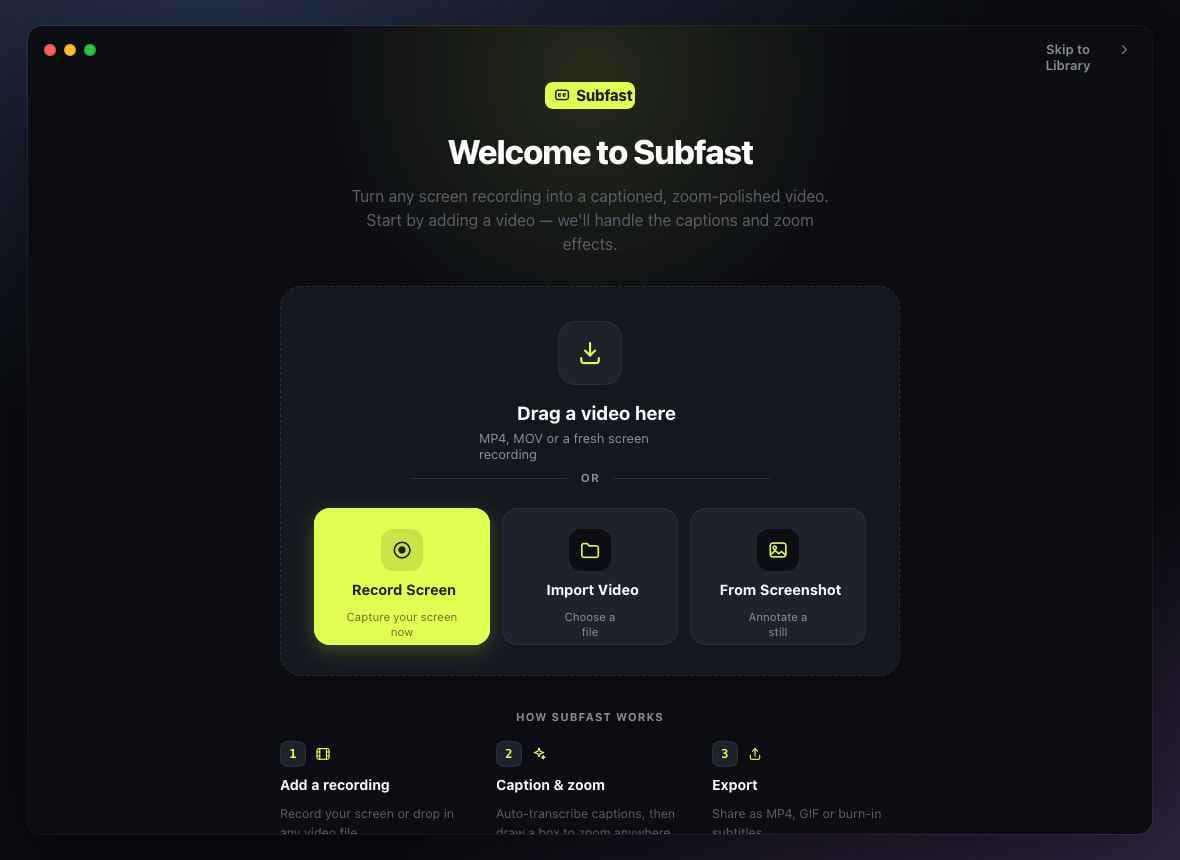
Turn any screen recording into a captioned, zoom-polished video.
Subfast transcribes your captions on-device with Apple Intelligence, lets you draw a zoom onto any detail, and exports a finished demo in minutes — private by default, no timeline wrangling, no separate subtitle tool.
Free 7-day trial · One-time license from $149 · macOS 26+ · Apple Silicon
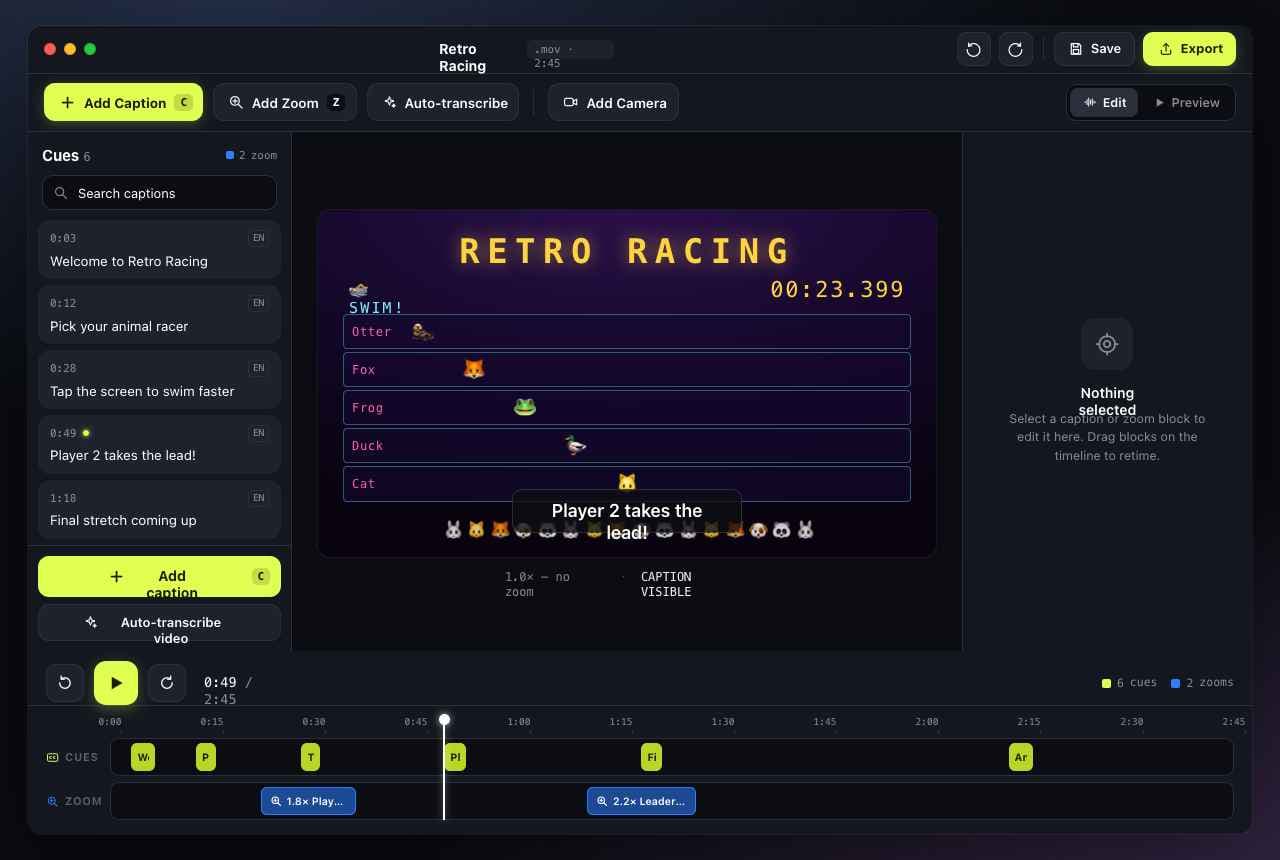
Everything in one window
From raw capture to ready-to-share, fast.
Three things usually take three apps and an afternoon. Subfast does them in one place.
On-device AI captions
AI transcription that never leaves your Mac.
Drop in a recording and Subfast transcribes it with Apple Intelligence — the on-device Foundation Models built into macOS 26. Captions are generated offline and land on the timeline already timed, so nothing is uploaded and nothing waits on a server.
- On-device AI — private, offline, no cloud round-trip
- LLM-cleaned punctuation across dozens of languages
- Searchable, fully editable cue list
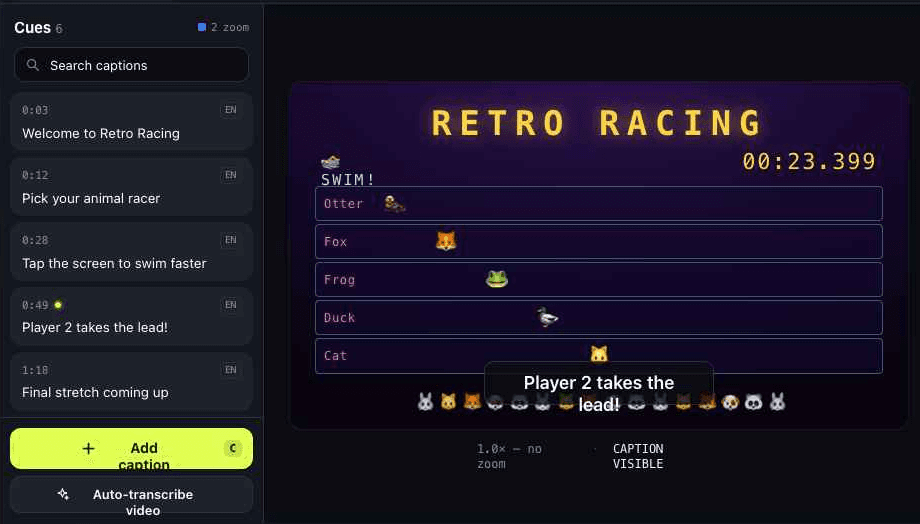
Draw-to-zoom
Punch in on the detail that matters.
Box any region of the frame and Subfast animates a smooth zoom to it — perfect for tiny buttons, code, or fine print. Drop multiple zoom blocks on the timeline and retime them like clips.
- Draw a box anywhere to set the focus area
- Adjustable zoom level and easing
- Dedicated zoom track you can drag to retime
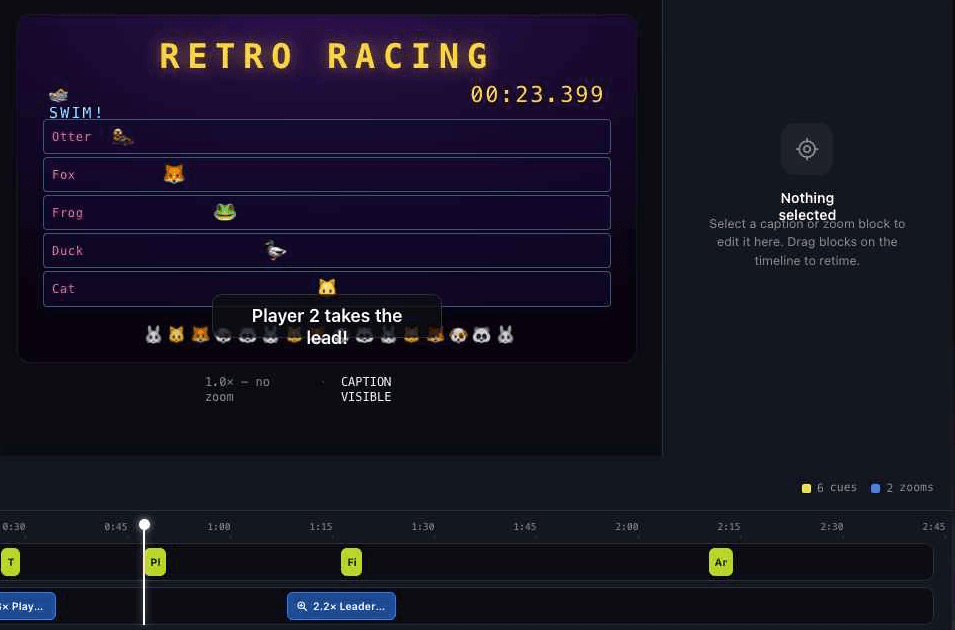
Export anywhere
One render. Every format you need.
Ship an MP4 for the docs, a looping GIF for the changelog, or a clean SRT to hand off to your video team. Burn captions in, or keep them as a sidecar — your call.
- MP4 with burned-in captions and zoom effects
- Looping GIF for changelogs and announcements
- Clean SRT sidecar for any video player
⬇ Export
MP4
H.264, share-ready
GIF
Loop-friendly
SRT
Subtitle sidecar
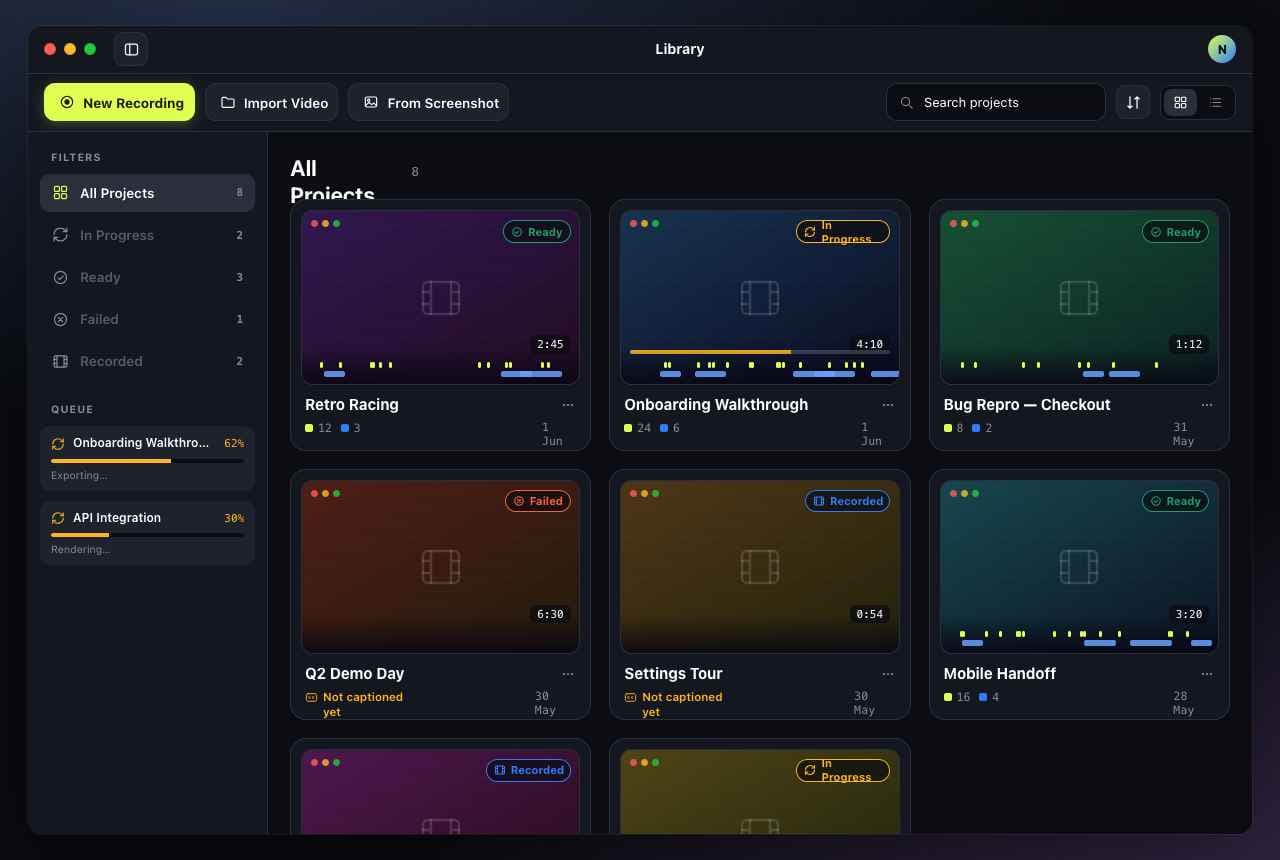
Your library
Every project, right where you left it.
Three steps
Raw capture to ready-to-share in minutes.
No timeline surgery. No separate tools.
Drop your recording.
Drag an MP4 or MOV onto Subfast — or open it from the File menu. Any screen recording works.
AI captions and zoom, instantly.
Subfast transcribes on-device with Apple Intelligence and places every caption on the timeline. Draw zoom boxes wherever you need them.
Export and share.
Pick MP4, GIF, or SRT and hit Export. Done in minutes, not an afternoon.
Pricing
One tool. One price.
Buy once, own it — or start with a monthly subscription.
Monthly
Flexible access, billed each month.
- 1 Mac seat
- All features & export formats
- Cancel anytime
Lifetime license
One payment. One Mac seat. Free updates.
Pays for itself in ~16 months vs. monthly
- 1 Mac seat, yours forever
- Free updates & new features
- Priority email support
Yearly
Best of both — lower rate, no commitment.
Save 36% vs. monthly
- 1 Mac seat
- All features & export formats
- 12 months of updates
Rolling Subfast out to a docs, support, or marketing team? Get centralized billing and volume pricing.
Prices in USD · taxes calculated at checkout by Polar · 14-day money-back guarantee
FAQ
Questions, answered.
What is Subfast?
Subfast is a native macOS 26 app that turns any screen recording into a captioned, zoom-polished video. It transcribes captions on-device using Apple Intelligence, lets you draw zoom effects on any part of the frame, and exports to MP4, GIF or SRT.
Does Subfast use on-device AI for transcription?
Yes. Subfast runs transcription entirely on-device using Apple Intelligence and the Foundation Models introduced in macOS 26. Your recordings never leave your Mac, captions are generated offline, and AI cleans up punctuation and speaker phrasing for higher accuracy.
What are the system requirements?
Subfast requires macOS 26 (Tahoe) or later on an Apple Silicon Mac, which is needed for on-device Apple Intelligence transcription. It installs as a direct .dmg download — no App Store required.
How accurate are the auto-captions?
Subfast transcribes speech on-device with high accuracy across many languages, and every caption (cue) is fully editable so you can fix names or jargon in seconds.
Can I export SRT subtitle files or burn captions into the video?
Both. Export a standalone SRT sidecar file, or burn captions directly into an MP4 or GIF for social platforms that do not support subtitle tracks.
What is the difference between the license options?
Monthly and yearly plans are subscriptions billed through Polar. The Lifetime license is a one-time purchase for a single Mac seat with free updates. Teams can request volume seat pricing.
Is there a free trial?
Yes. Download the .dmg and your 7-day free trial begins automatically — no account or credit card required. All features are unlocked during the trial.
What video formats does Subfast export?
Subfast exports to MP4 (H.264, share-ready), animated GIF (loop-friendly for social), and SRT (subtitle sidecar for any player or editor). All three are generated from the same session with one click.
Is my screen recording data private?
Completely. Transcription runs on-device using Apple Intelligence — your recordings and captions are never uploaded to any server. Everything stays on your Mac.
Get started
Make your next demo impossible to ignore.
No subscription required to start. Download the .dmg, open it, and your trial begins automatically.
macOS 26+ · Apple Silicon · On-device AI · ~28 MB